Features
Everything the panel does, in one page.
NGCP is built in phases and is not released yet. Each group links to the documentation, which has the details and says what has been tested where.
Panel and nodes
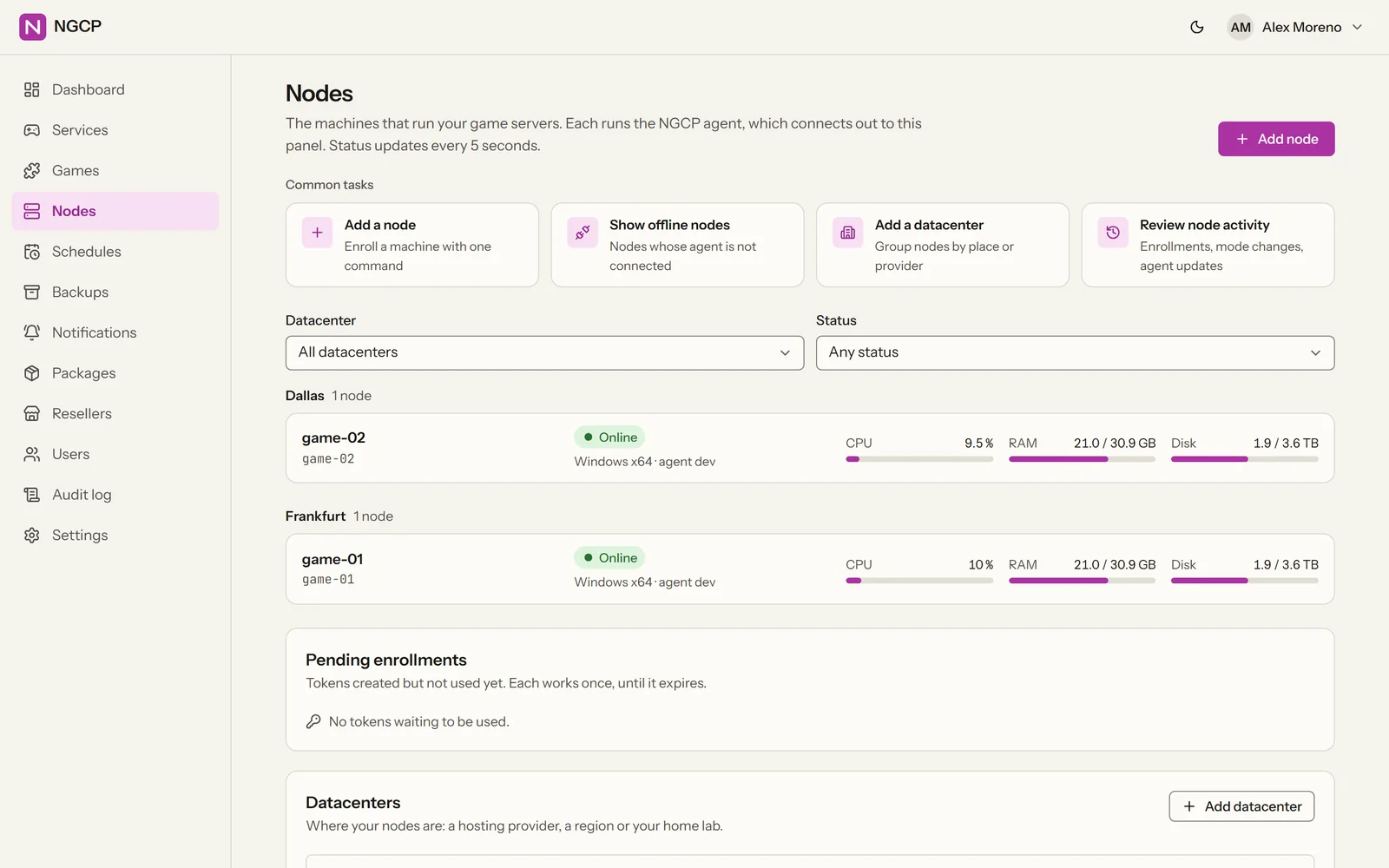
Two programs: the panel, and a small agent on every machine that runs game servers.
- The panelWeb interface, REST API and a PostgreSQL database. One panel runs many nodes.
- Agents dial outEach node's agent opens a mutual-TLS connection to the panel, so nodes work behind NAT with no inbound management port.
- Windows and Linux, both first-classThe same features on both, including isolation, SteamCMD and SFTP.
- Native processesGame servers run as normal processes on the node. No Docker needed.
- Servers outlive the panelRestart or upgrade the panel at any time: game servers keep running and agents reconnect by themselves.
Docs: Concepts · Adding a node
Games and installs
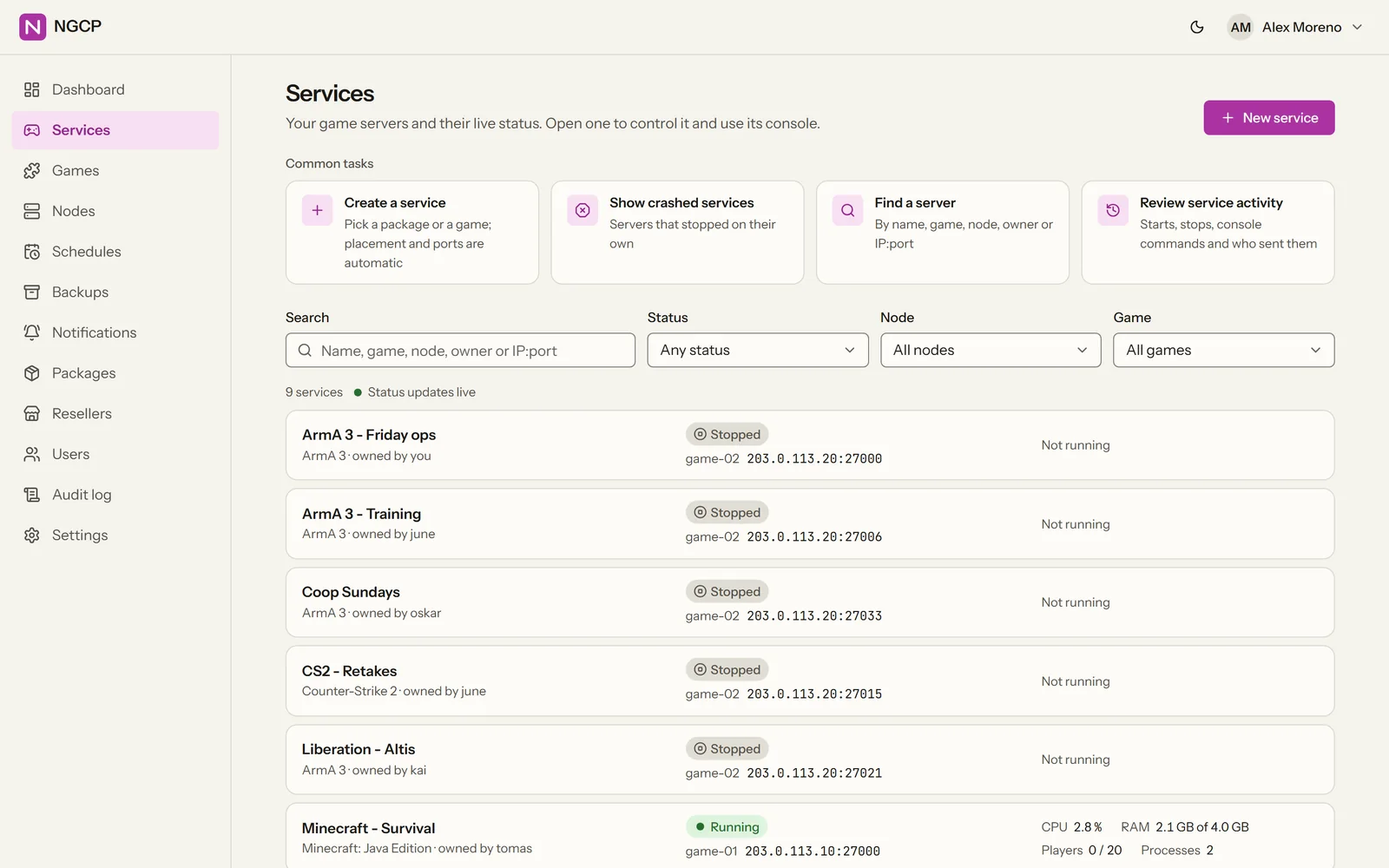
Games are described in YAML game definitions. Four ship ready-made, any other Steam dedicated server runs through a generic definition, and a full definition for a new game is one file.
- ArmA 3With headless clients and Steam Workshop mods; the -mod line is built for you.
- Counter-Strike 2, Minecraft Java (Paper) and ValheimShipped next to ArmA 3. The docs list which game is tested on which platform.
- Game definitionsInstall steps, ports, startup variables, config forms, console and status query, backup rules: one YAML file per game.
- SteamCMDInstalls and updates, a vault for Steam accounts, and Steam Guard handled from the console.
- Any Steam dedicated serverAn administrator gives the Steam app id and the start command; NGCP installs, updates and runs the server. How it works.
- Steam WorkshopMods by id, link or collection: see Steam Workshop.
- Other sourcesHTTP downloads, git and scripts as install steps.
Docs: Shipped games · Writing game definitions · Steam and the Workshop
Steam Workshop
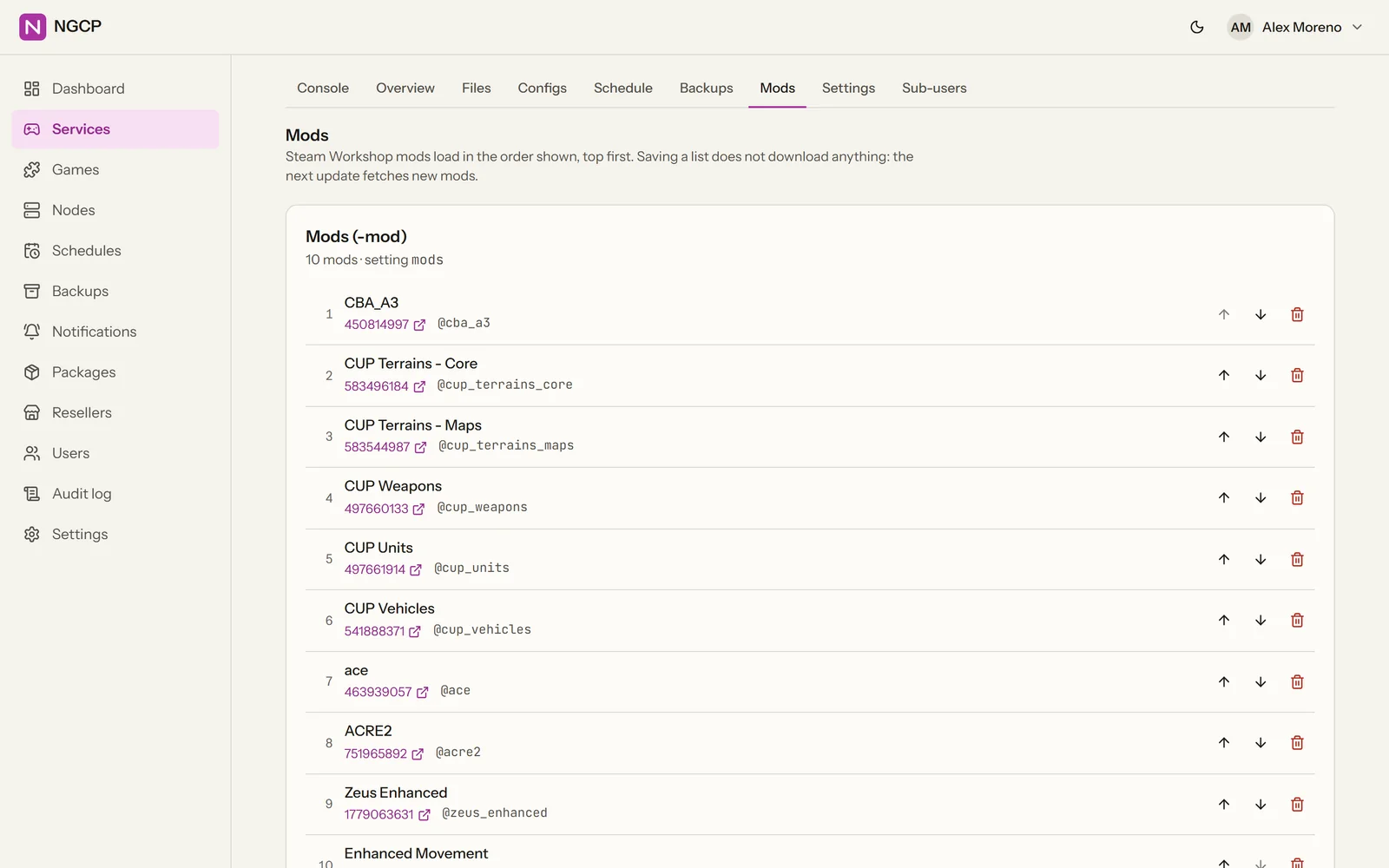
Build a mod list from Workshop ids, links and collections. One Update downloads the mods and writes the command line.
- Add by id, link or collectionIn the server's Mods tab. A collection expands into its items, nested up to three levels, with duplicates dropped. Each item shows its title, so you can check the list before saving.
- The list order is the load orderArmA 3 has two lists: Mods (-mod, also passed to headless clients) and Server mods (-serverMod, server only). Up to 200 mods per list.
- One Update does the restSteamCMD fetches each item and the command line is built in load order. .bikey files are copied into the server's keys folder, so signature checks accept the mods.
- Files are not stored twiceMods are laid out with hard links, in folders named from the Workshop title (@cba_a3). On Linux, ArmA mod files are lower-cased, as the Linux server expects.
- Steam accounts stay in the vaultDownloads use an account from the panel's Steam account vault, where passwords are sealed and write-only. ArmA 3 Workshop needs an account that owns ArmA 3.
- Mods stay currentA scheduled update task keeps them up to date, for example nightly and only when the server is empty.
- Catalog and permissionsAdministrators can curate a mod catalog per game. Sub-users can be given the mods permission on one server.
- Which gamesArmA 3 ships ready for it. Any other Steam dedicated server can use it through the generic definition, if the game has Workshop content (Valheim, for one, does not).
Docs: Workshop mods · Mod manager
Console, RCON and player counts
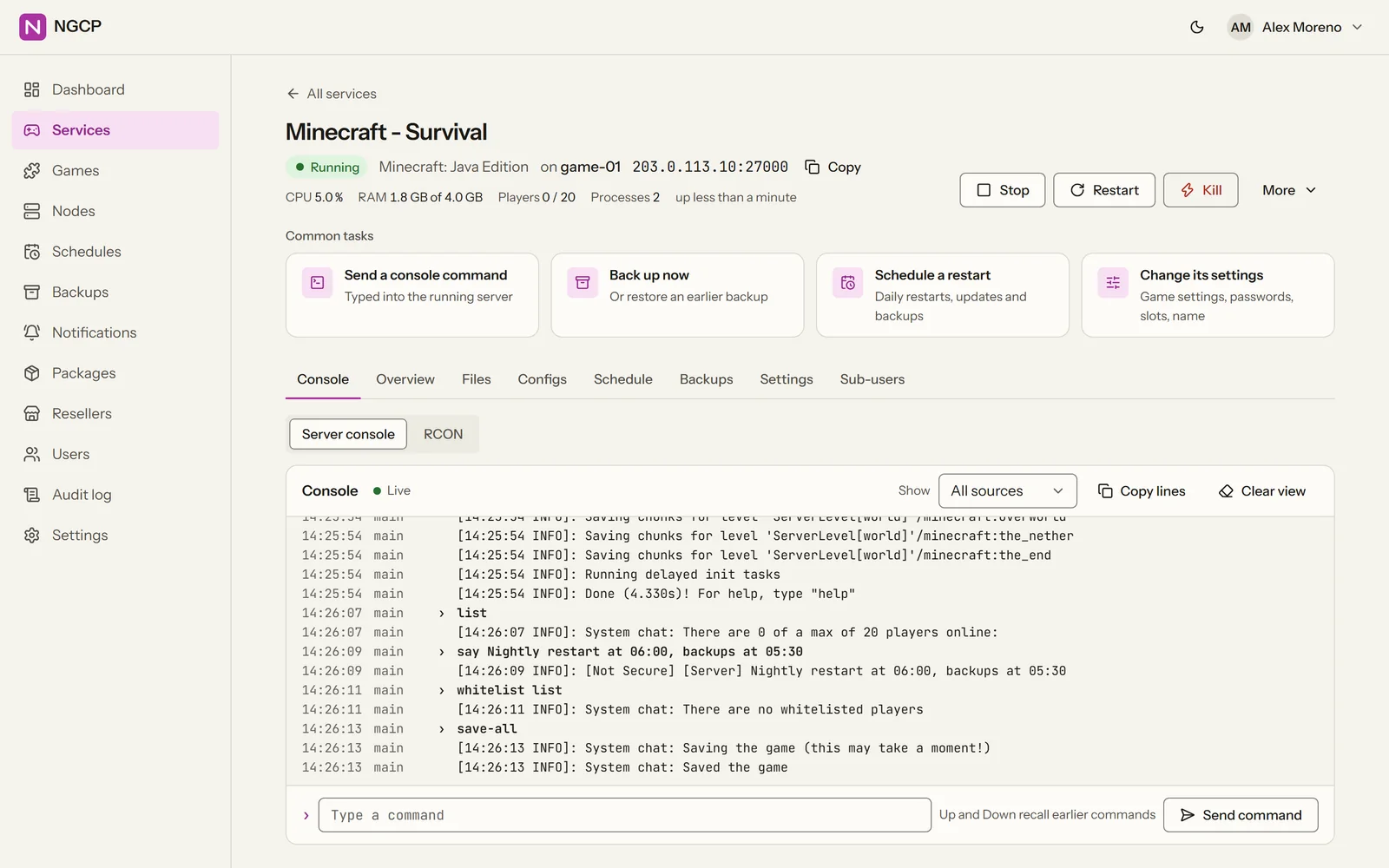
See what the server is doing and talk to it, without a remote desktop.
- Live console in the browserOutput as it happens, with commands typed straight into the server.
- RCONSource, BattlEye, Minecraft and TeamSpeak ServerQuery.
- Player countsRead from the game's own status query and shown on the overview.
- Start, stop, restart, killGraceful stops use the game's own stop command. CPU and memory charts per server.
Docs: Game servers · RCON and player counts
Files and config
Edit what the server reads, from the browser or your SFTP client.
- File managerUploads of many gigabytes, a text editor, archives and search.
- Built-in SFTP serverSigns in with the same panel accounts. No separate FTP users to manage.
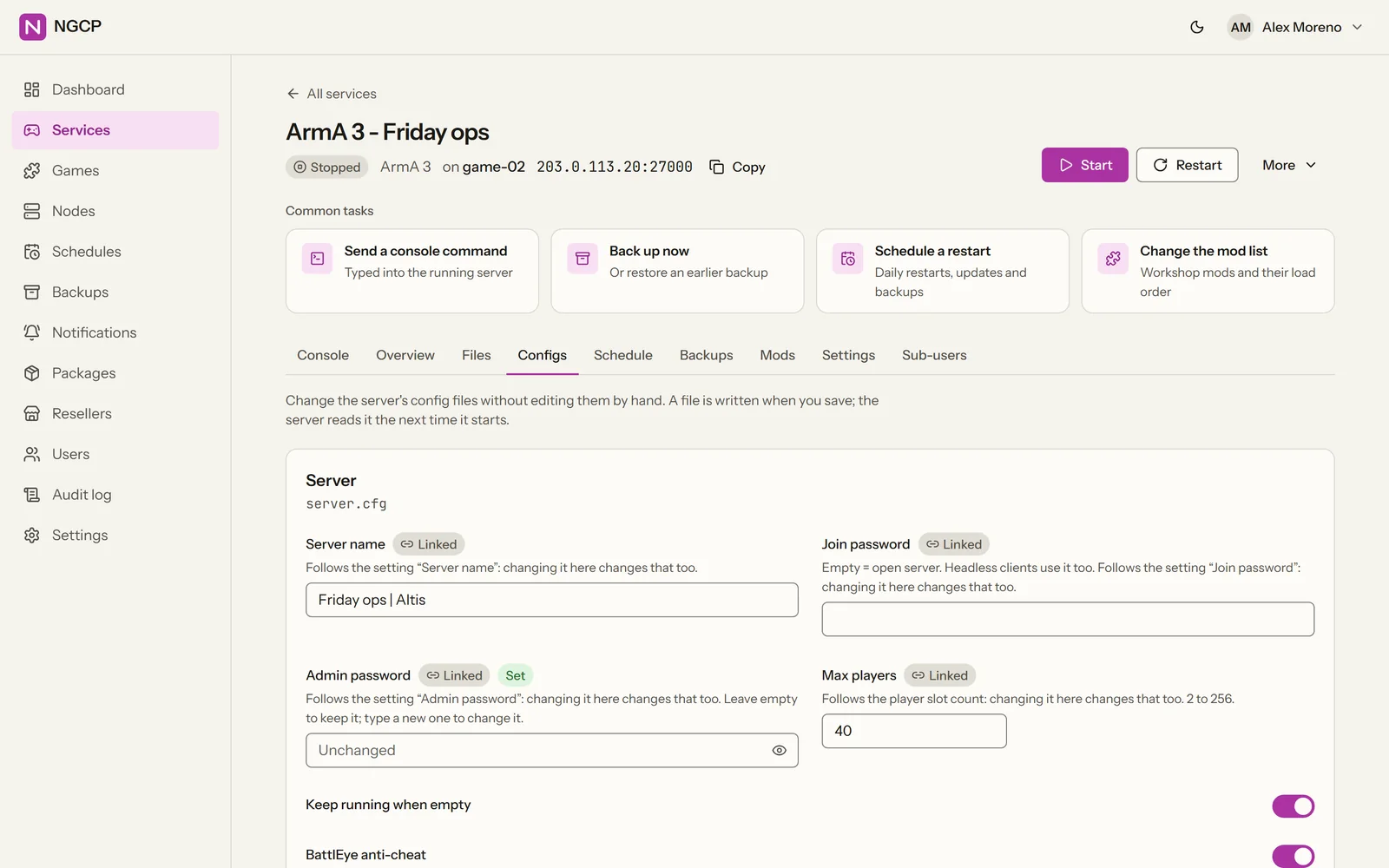
- Config editorsForms that edit the real config file and keep its comments and layout. In ArmA 3, maxPlayers in server.cfg stays in sync with the server's slots.
Docs: Files and SFTP · Config editors
Automation
The routine work runs itself, on the node, whether the panel is up or not.
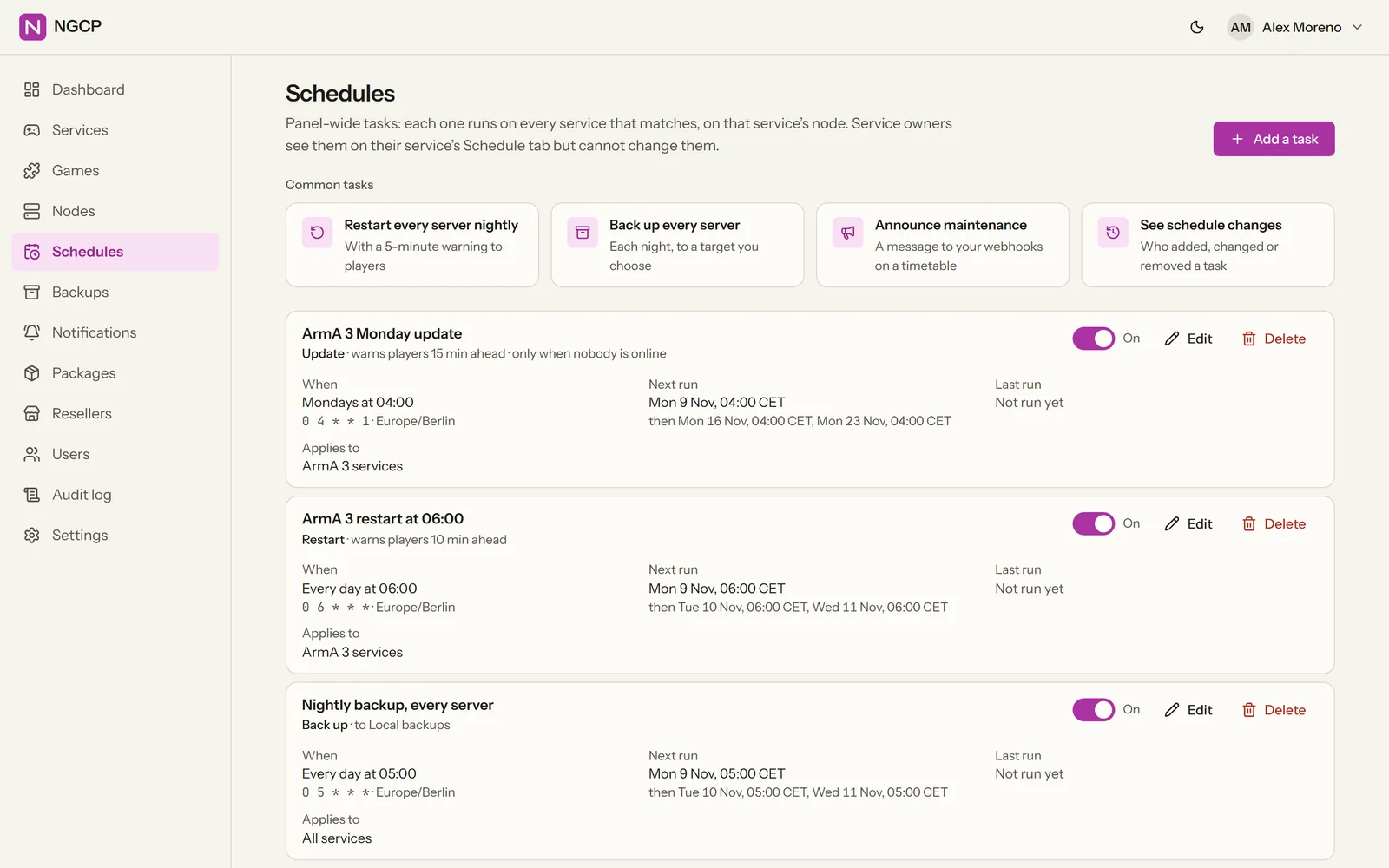
- Scheduled tasksRestart, update, backup, RCON command, script or notify, on a cron schedule in any time zone.
- They run on the nodeEach node keeps its own copy of the schedule, so tasks fire even while the panel is down.
- BackupsTo a local folder, SFTP or S3-compatible storage, with retention and one-click restore.
- Crash detectionA crashed server is restarted automatically, with back-off.
- NotificationsDiscord, webhooks and e-mail.
Docs: Scheduled tasks · Backups · Notifications
Isolation
One game server cannot read another's files or eat another's memory.
- Its own OS userEvery game server runs as its own operating-system account, in its own directory.
- Resource limitsJob Objects on Windows, cgroups on Linux: CPU, memory and process limits per server.
- Its own firewall rulesEach server gets firewall rules for its own game ports (Windows Firewall, or ufw / firewalld on Linux).
- Steam logins kept apartSteamCMD runs under a separate account, so game servers cannot read the cached Steam login.
Docs: Security
Users and roles
Give people exactly the access they need, and see who changed what.
- RolesSuperAdmin, Admin, Reseller, User and Sub-user.
- Sub-users per serverInvite someone to one game server with only the permissions you choose.
- Two-step verificationTOTP codes from any authenticator app.
- API keysWith scopes, for scripts and billing systems.
- Audit logEvery change, with who made it and when.
- Admin IP allow-listAdministrator sign-ins only from the addresses you allow.
Docs: Users and permissions · Using the API
Hosting and billing
Sell game servers from your own hardware, or let resellers sell them for you.
- PackagesProducts with a game, a slot range and resource limits; new servers are placed on a node automatically.
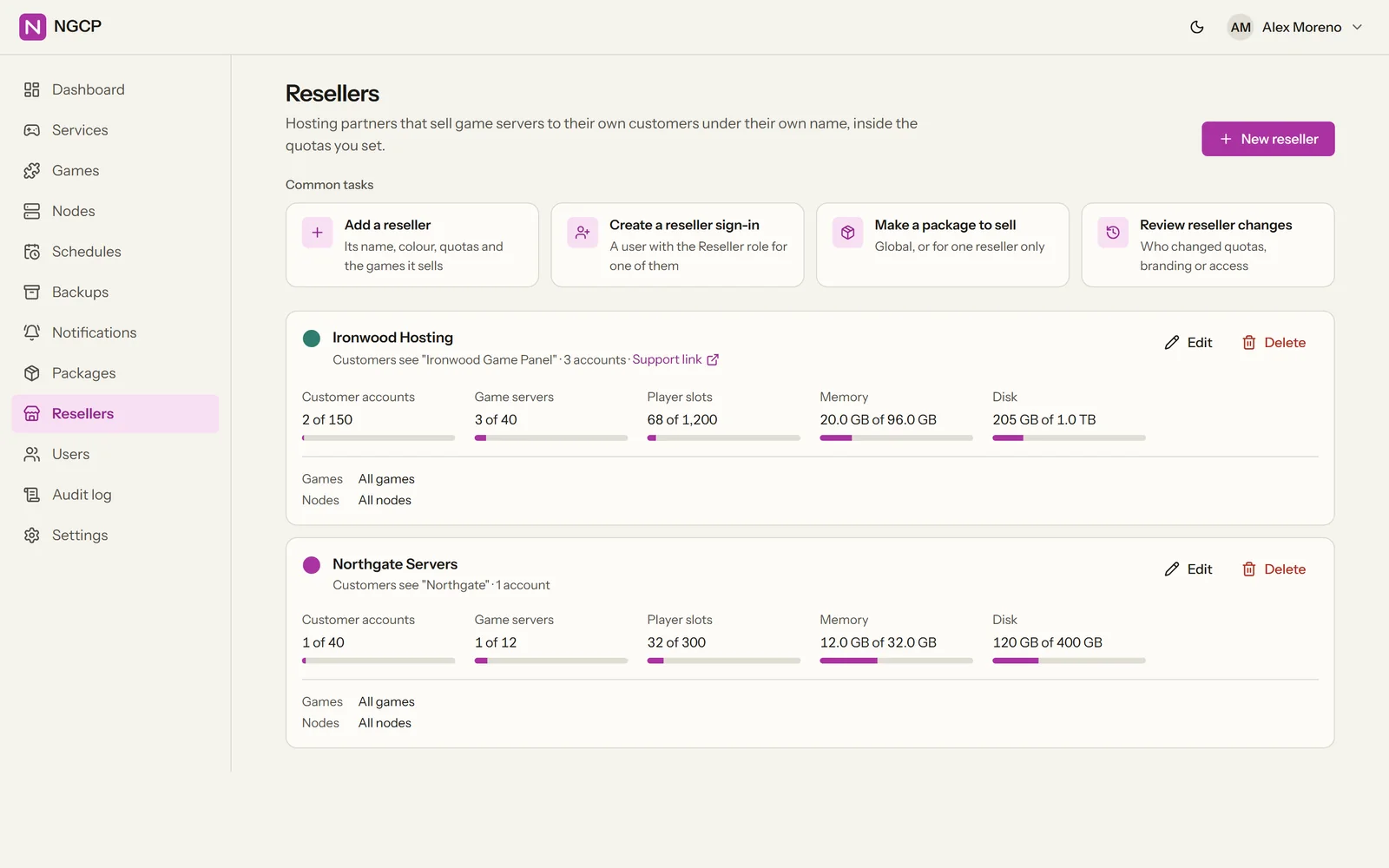
- ResellersTheir own customers, packages, quotas and branding.
- Billing APICreate, suspend, unsuspend and remove game servers from any billing system.
- WHMCS moduleOrders create servers, overdue invoices suspend them, and customers get a one-click “Log in to the game panel”.
Installing
NGCP installs like an application, not like a project you have to assemble.
- NGCP Setup for WindowsOne installer for the panel, the game servers or both. PostgreSQL is included.
- Linux packages.deb for Debian and Ubuntu, .rpm for RHEL, Rocky and Alma.
- The Linux applianceAn Ubuntu-based installer ISO plus Hyper-V and VMware images, with a first-boot setup.
- Nodes join with one lineRun the command the panel gives you on the new machine. A node on the panel's own server joins by itself.
Docs: Installing the panel · The Linux appliance · Requirements
Not released yet.
NGCP is in development. Downloads will follow; until then the documentation and the changelog show where it stands.